
Agenda Template for Weekly Planning
Enter same-day events, review the weekly grid and resolve any invalid lines before printing or exporting. Calendar events are for the next Monday-starting week.
- Free to use
- No sign-up
- Runs in your browser
Weekly agenda builder
Scroll the weekly grid sideways on a small screen. In Mon–Fri view, weekend events remain in totals and calendar exports.
Weekly Agenda Printables
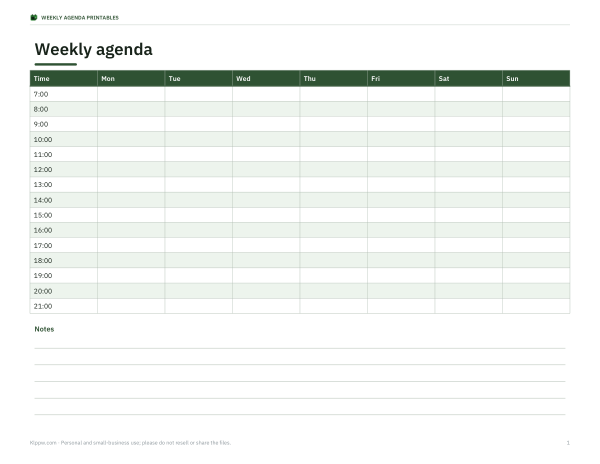
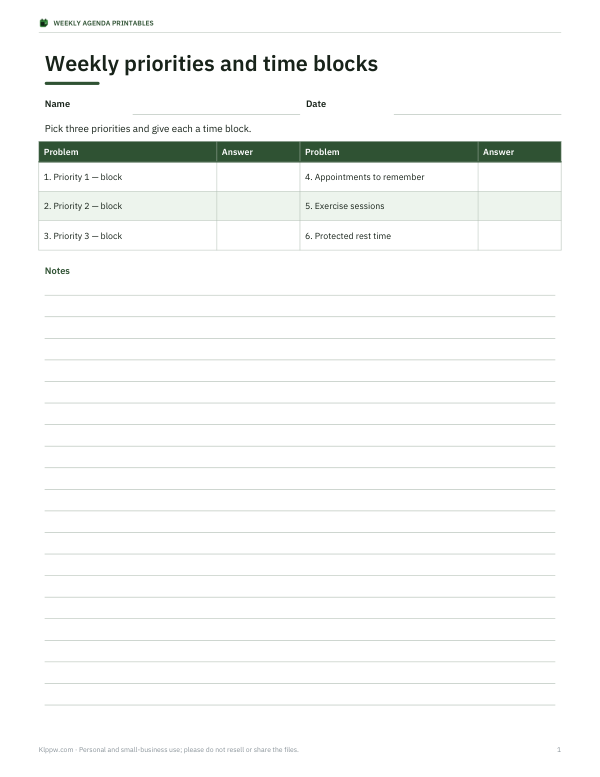
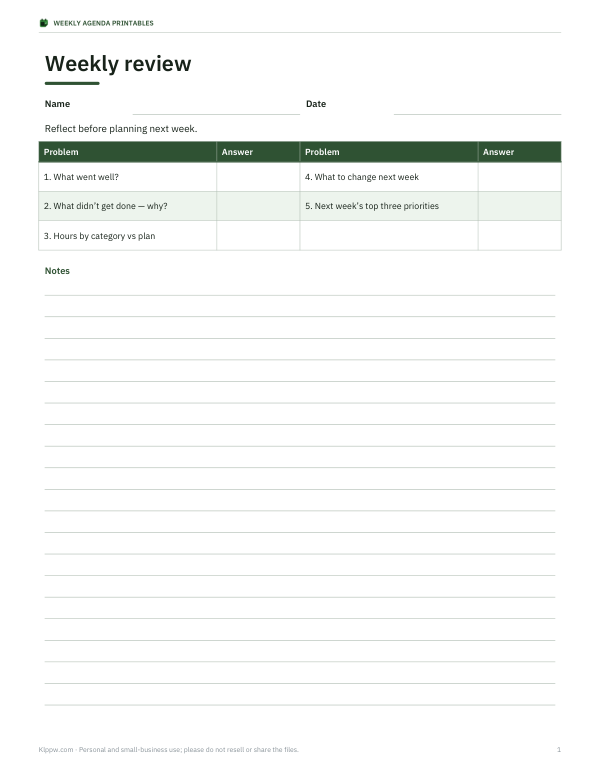
Weekly planner pack: four PDFs, three editable Word files, an Excel time tracker and a README. The PDF tracker is manual; the workbook calculates same-day durations and totals for up to five entered category names.
- Weekly hourly agenda (PDF and Word)
- Weekly priorities (PDF and Word)
- Weekly review (PDF and Word)
- Time tracker (manual PDF and Excel workbook)
- README
Formats: PDF, DOCX, XLSX. Instant download after payment (link valid 72 hours, up to 5 downloads). AI-assisted: AI tools were used to help draft these materials.
$3.00 USD, one-time
- Instant download
- 7-day refund
- Secure checkout by Stripe
7-day money-back guarantee. Full refund within 7 days of purchase, even after you download.
Full refund within 7 days — see the refund policy and license.
Free printables
Single sheets you can print right now, no sign-up. The full pack adds every sheet in one download plus the editable files.
 Weekly time tracker (free PDF)
Why use a weekly agenda
A weekly agenda shows your fixed commitments in time — not just a list of what to do, but when you are actually busy. Seeing the week on an hour grid makes it obvious where the free blocks are for focused work, exercise or rest, and where the week is overloaded before it starts. Many time-management methods, from time blocking to a weekly review, begin with exactly this picture.
How to use the agenda builder
- Give the week a title and set the hours the grid should show.
- Type one event per line: day, start–end time, title and category — for example “Tue, 10:00-12:00, Lecture, Study”.
- Times can be 24-hour (14:30) or 12-hour with am/pm (2:30pm).
- Events in the same category share a colour; overlapping events sit side by side and are listed as clashes.
- Check the hours per category, then print the agenda or download an .ics file to import into your calendar app.
The events are processed in your browser and aren’t uploaded. The calendar file places them in the coming week.
Choosing categories
| Category | Examples |
|---|---|
| Work | Meetings, shifts, deadlines, commute |
| Study | Lectures, seminars, revision blocks |
| Personal | Appointments, errands, admin |
| Family | School runs, activities, meals together |
| Exercise | Gym, runs, classes, walks |
| Rest | Protected downtime — schedule it too |
Keep to five to eight categories; more colours make the grid harder to read.
Time-blocking tips
- Put fixed commitments in first, then block time for your most important task each day.
- Schedule deep work when your energy is highest — for many people, the morning.
- Leave buffers of 15–30 minutes between meetings for travel and overruns.
- Group small tasks such as email into one or two blocks.
- Plan rest and exercise as real appointments, not leftovers.
- Review the week on Friday or Sunday and adjust next week’s agenda.
Reading the category totals
The hours per category turn a busy week into numbers you can compare. If work takes 60% of your scheduled time but you wanted to prioritise study, the agenda shows it immediately. Tracking the same categories over several weeks — for example in the printable weekly review sheet — reveals patterns such as meetings creeping up or exercise slipping.
Weekly agenda vs to-do list
A to-do list says what needs doing; an agenda says when. Tasks without a time slot tend to slide, while an agenda can become unrealistic if it has no slack. Many people use both: a short list of priorities for the week, and an agenda where the most important of those priorities get a specific block of time.
Agendas for shared schedules
Families, flatmates and small teams can use the same format to see who is busy when. Use one category per person instead of per activity, and the colours show at a glance who has the school run, the late shift or a free evening. Print it for the fridge or share the calendar file so everyone has the same plan.
Common event formats
| You type | Read as |
|---|---|
| Mon, 9:00-10:30, Meeting, Work | Monday 9:00–10:30 |
| Tue, 2pm-3pm, Dentist, Personal | Tuesday 14:00–15:00 |
| wednesday, 18:00-19:00, Yoga, Exercise | Day names can be full or short, any case |
| Fri, 12-13, Lunch with Sam, Personal | Hours without minutes are fine |
Importing into your calendar
The .ics file works with Google Calendar, Apple Calendar and Outlook: open it or use the calendar’s import option. Each event is added once for the coming week at the times you entered, in your device’s time zone. Review the events after importing, because re-importing the same file can create duplicates.
Limits and files
Use same-day events from 00:00 to 24:00; split overnight events. Invalid lines block print and calendar export. The optional pack has four PDFs, three Word documents, an Excel time tracker and README. The PDF tracker is manual; the spreadsheet supports five named categories.
Frequently asked questions
How do I make a weekly agenda?
List your events with day, time, title and category; the builder arranges them on an hour grid.
Can I use 12-hour times?
Yes, like 2:30pm, or 24-hour like 14:30.
Does it show conflicts?
Yes, overlapping events are listed as clashes and drawn side by side.
Can I export to Google Calendar?
Yes, download the .ics file and import it.
Can I print it?
Yes, as a colour-coded weekly grid.
Is my schedule uploaded?
No, everything runs in your browser.
What does the clash warning mean?
Two events on the same day overlap in time.
Using an agenda template for a week
This agenda template is organised around a week of scheduled events. Use it to see when activities happen and how much time each category takes. It is useful when the task is planning a personal or shared timetable; it is not a meeting-minutes form or a system for recording formal decisions. The weekly agenda template below accepts the same-day events described in its input guidance.
Start by entering fixed commitments, including their start and end times. Add the remaining activities around those commitments, then review the result for clashes. An overlap warning identifies competing time slots; it does not decide which event matters more or resolve the conflict for you. Review the event names and times before printing the agenda or exporting its calendar file.
Use categories consistently so the totals are meaningful for your own planning. For example, keep the same label for similar work sessions instead of giving each one a different category. Leave enough unscheduled space for transitions and changes. At the end of the week, compare the plan with what actually happened and adjust the next one. The printable files offer another way to keep the schedule visible when a paper view is more convenient.